Saving and Loading Image Filtering Operations
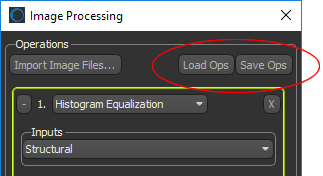
All of the selected settings for each operation in a post-processing workflow can be saved and then loaded at anytime to maintain consistency in your workflows. Options to save and load workflow operations are available in the Operation box of the Image Processing dialog, as shown below.
Save and Load controls
See Applying Saved Operations for information about processing images directly in the Image Processing panel.
 How to Save a Workflow
- Select the required operations and the settings for each operation (see Filtering Images).
- Click the Save Ops button at the top of the Operation box.
- Save the workflow as an XML file.
The XML file will include the number of inputs and the settings for each operation. Datasets within the workflow are not saved.
How to Load a Workflow
- Click the Load Ops button at the top of the Operation box.
The inputs and settings for each operation in the workflow are loaded in the Image Processing panel.


